

Free tools Word Search Maker
Free tool · A4 or US Letter · answer key included
Word Search Maker for Kids: Free Printable PDF
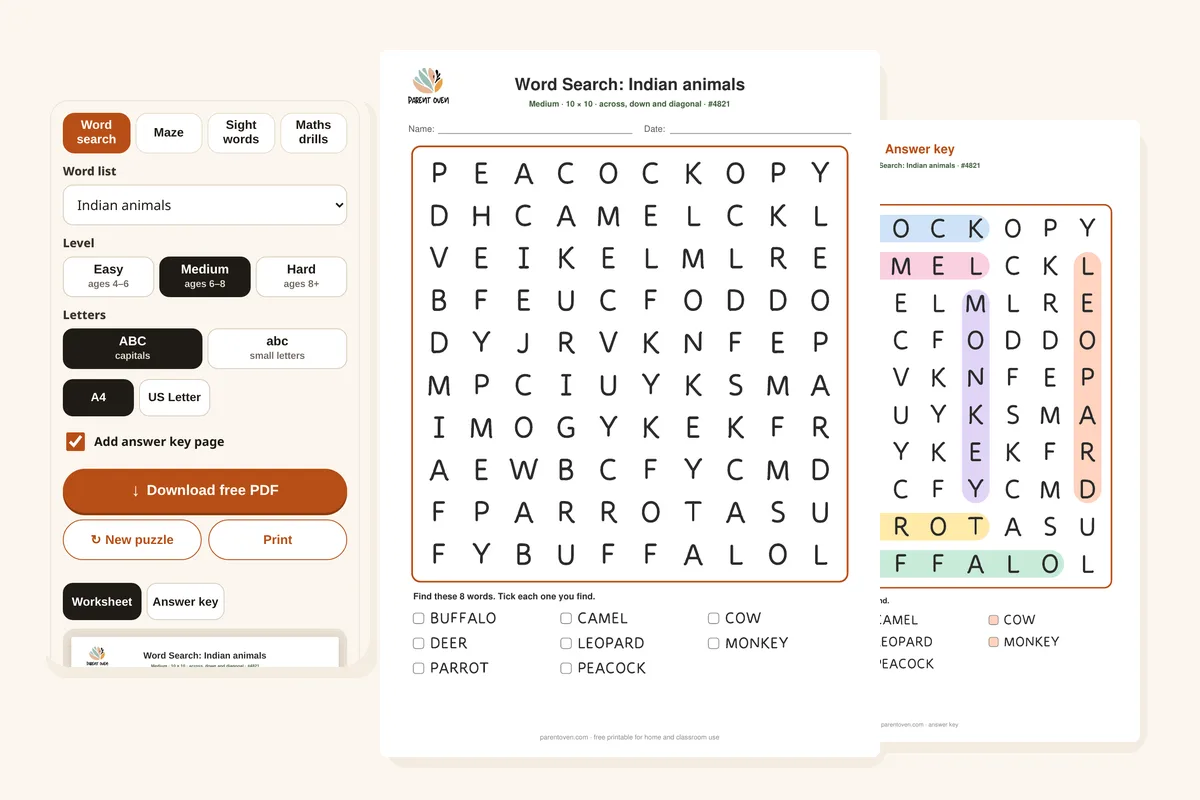
Make a fresh word search in seconds: animals, fruits, space, Indian festivals, Indian food, Dolch sight words, CVC words or your own list. Pick a level, then download a crisp PDF with the answer key on page 2. No sign-up, no ads, nothing uploaded.
Made on your device: nothing is uploaded, no sign-up, and it keeps working offline once the page has loaded. Every puzzle is new; tap New puzzle for another.
How to use it
- Pick a word list. Choose a theme, one of our Dolch sight word or CVC word lists, or My own words to type spelling words, family names or a class topic.
- Choose a level. Easy is an 8×8 grid where words only go across and down. Medium is 10×10 and adds diagonals. Hard is 12×12 and words can go in any direction, even backwards.
- Choose ABC or abc. Small letters suit children who are learning to read, because they match the books they read; capitals are easier to spot for younger children.
- Check the preview and tap Answer key to see where every word is hidden.
- Choose A4 or US Letter and tap Download free PDF. Tap New puzzle for a different grid with the same settings.
Why it helps
Word searches train careful visual scanning: holding a word in mind, then checking letter by letter. For early readers, looking for a word they already know, such as “the” or “cat”, also strengthens its spelling in memory.
Every puzzle is checked as it is made: each word appears exactly once (a word hidden inside another one, like “dal” backwards inside “ladoo”, is left out), and the filler letters are checked so they do not spell anything rude. The letters are drawn in the same clear, child-friendly shapes as our tracing worksheets, with a single-storey a and g.
The reading lists are the same as on our worksheet pages: the 179 Dolch words from pre-primer to grade 2 and our short vowel CVC words, so the puzzle can follow what your child is practising this week.
Parent tip
Before your child starts, read the word list aloud together and say the first letter of each word. Then let them hunt for that letter first; it turns a big grid into small, winnable steps.
For a beginner, choose Easy with abc letters and a theme they love. Move up a level only when they find all the words without help. Using a highlighter instead of a pencil makes found words easy to see.
Which level for which age
| Age | Try this |
|---|---|
| 4–5 years | Easy, capitals, a picture-friendly theme like Animals or Colours. Find words together and say the letters. |
| 5–6 years | Easy with abc letters, using CVC words or Dolch pre-primer words to practise reading. |
| 6–8 years | Medium (diagonals), with Dolch primer or grade 1 words, or this week’s spelling words. |
| 8+ years | Hard: 12×12 with backwards words. Try Indian food or festivals, or a class topic list. |
Example
More free printables
Questions
Is it free?
Yes. Make and print as many word searches as you like, for home or the classroom. There is no sign-up and there are no ads inside the tool.
Is anything uploaded?
No. The worksheet is made in your browser on your own phone or computer, and the PDF is created there too. Nothing is sent to us, there is no sign-up, and it keeps working offline once the page has loaded.
How do I print it?
Tap Download free PDF and print the file, or tap Print. Choose A4 or US Letter first: the PDF is made at that exact size, so set the printer to 100% or “Actual size” rather than “Fit to page”. The answer key prints as page 2; untick “Add answer key page” if you only want the worksheet.
Can I use my child’s spelling words?
Yes. Choose My own words and type your words, separated by commas or spaces. Easy uses up to 6 words, Medium 8 and Hard 10. Letters only, and each word must fit the grid: up to 8 letters on Easy, 10 on Medium and 12 on Hard. If a word does not fit, the tool tells you.
Why did one of my words not appear?
Either it is longer than the grid, or it is hidden inside another word on the list (like “sun” in “sunday”), which would make it appear twice. Try a bigger level or a different word.
Can I print the same puzzle again?
Yes. Each sheet has a number like #4821 in the top line. The tool remembers your last settings and puzzle on this device, so you can come back and print it again; tap New puzzle when you want a different one.
More Free Tools
Also try: all worksheets · sight word worksheets