

Free tools Online Coloring Pages
Free tool · 68 pictures · made for phones
Online Coloring Pages for Kids: Tap to Colour
Pick a picture, pick a colour and tap. Each space fills neatly inside the lines, so even a three-year-old gets a picture they are proud of. Save it to send to family on WhatsApp, or print it. No app, no sign-up, no ads.
Your colouring is saved on this device only, so you can come back to it. Nothing is uploaded.
How to use it
- Choose a set (alphabet, animals, dinosaurs, space, flowers, festivals, Indian festivals or Indian animals) and tap a picture.
- Tap a colour, then tap any space in the picture. It fills right up to the lines.
- Picked the wrong colour? Tap Undo, or choose another colour and tap the space again. White works as an eraser.
- For tiny spaces, switch to Brush and paint with a finger. Zoom makes the picture bigger for small details.
- When it is finished, tap Save picture to download it, Share to send it on WhatsApp, or Print.
- Your colouring is remembered on this device, so your child can come back later and carry on.
Why it helps
Tap-to-fill lets toddlers enjoy colouring before their hands can stay inside the lines. They still practise naming colours, choosing, and seeing cause and effect, and older children can use the brush for detail.
Every picture is also in our free printable PDFs, so screen time can lead straight to paper: colour a page on the phone, then print the same page and colour it with crayons.
Unlike most colouring websites, there are no ads between pictures and no account. Nothing is uploaded: the picture is coloured on your own phone, and once it has opened you can keep colouring even if the connection drops.
Parent tip
Make it a talking game. Ask “What colour should the tiger be?” and “Which part next?” Naming colours and parts out loud builds vocabulary much more than tapping in silence.
Keep it short for little ones. The WHO advises no more than an hour of screen time a day for 2 to 4 year olds, so one or two pictures, then the printed page with real crayons, is a good balance.
What to try at each age
| Age | Try this |
|---|---|
| 2–3 years | Fill only, with big simple pictures such as the animals. Name each colour as it is tapped. |
| 4–5 years | Talk about real colours (“What colour is a carrot?”). Try the alphabet set and say each letter’s sound. |
| 6–8 years | Use Brush and Zoom for details and patterns. Colour a festival picture and send it to grandparents as a greeting. |
Example
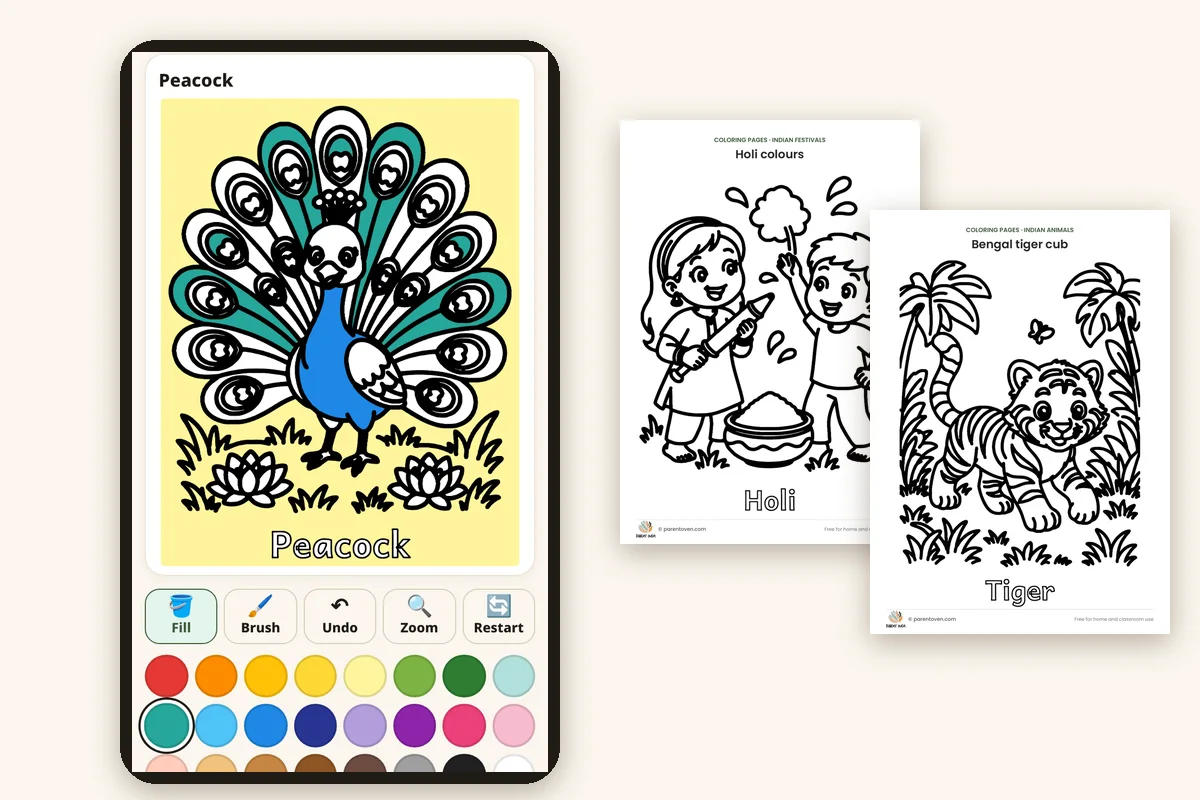
More free printables
Questions
Is it free?
Yes. Every picture is free to colour, save and print. There is no sign-up and there are no ads inside the tool.
Is my child’s picture uploaded anywhere?
No. The colouring happens in your browser on your own device. Unfinished pictures are kept in this browser’s storage so you can carry on later; clearing your browser data removes them.
Can I print the coloured picture?
Yes. Tap Print and it fits on one page. To colour by hand instead, download the free PDF from the matching coloring pages set.
Does it work on a phone or tablet?
Yes. It was made for phones first, with big buttons for small fingers, and it also works on tablets and computers with a mouse.
Why did a big area fill when I tapped?
Fill colours one closed space. If you tapped the background, the whole background fills. Tap Undo, or use Brush for very small or open areas.
Coloring or colouring?
Both! This is the same tool whether you call it online coloring (US) or online colouring (UK, India and Australia).
More Free Tools
Also try: printable coloring pages · worksheets